A couple years ago, ComfyUI was the thing only the truly obsessed Stable Diffusion nerds messed with. That weird node-based interface with all the wires. Now? YouTubers, illustrators, video editors, indie studios, they're all quietly switching over. And once you understand why, it kind of makes sense.
The short version: most AI tools are a black box. You type a prompt, cross your fingers, and hope. ComfyUI flips that on its head. You can actually see every step of what's happening, tweak any part of it, and save the whole thing to run again tomorrow with a couple of changes. That's the whole appeal, really.
But it's not all sunshine. There are real trade-offs here, and I'll be honest about them as we go. Here are ten reasons creators keep making the jump, plus the stuff nobody tells you before you do.
Table of Contents
- So What Actually Is ComfyUI?
- Reasons 1–3: The Control Thing
- Reasons 4–6: The Money Thing
- Reasons 7–10: Speed, Community, and Not Losing Your Mind
- How It Stacks Up Against the Subscription Tools
- What It Actually Costs to Start
- Getting Going Without Losing a Weekend
- FAQ
So What Actually Is ComfyUI?
ComfyUI is a free, open-source, node-based interface for building and running AI image and video pipelines, usually on top of Stable Diffusion or similar diffusion models. Instead of one lonely prompt box, you get your entire generation process laid out as a visual graph. Each box (a "node") does one job: load a model, sample an image, apply a control net, upscale the result. You wire them together and watch it flow.
Why does that matter if you make content for a living? Because it turns generation from a slot machine into a factory line. Build the workflow once, reuse it a few hundred times with small tweaks. A YouTuber cranking out thumbnails, a game artist doing concept art, an editor doing AI rotoscoping, none of them have to re-explain what they want to a chatbot every single time. That's basically the whole reason ComfyUI went from hobbyist toy to studio standard over the past two years.
Reasons 1–3: The Control Thing
Flexibility is the big one. It's the reason most people show up in the first place, and it shows up in three ways: you can see everything, you can adjust everything, and you can mix a bunch of models in one go.
1. You Can Actually See What's Happening
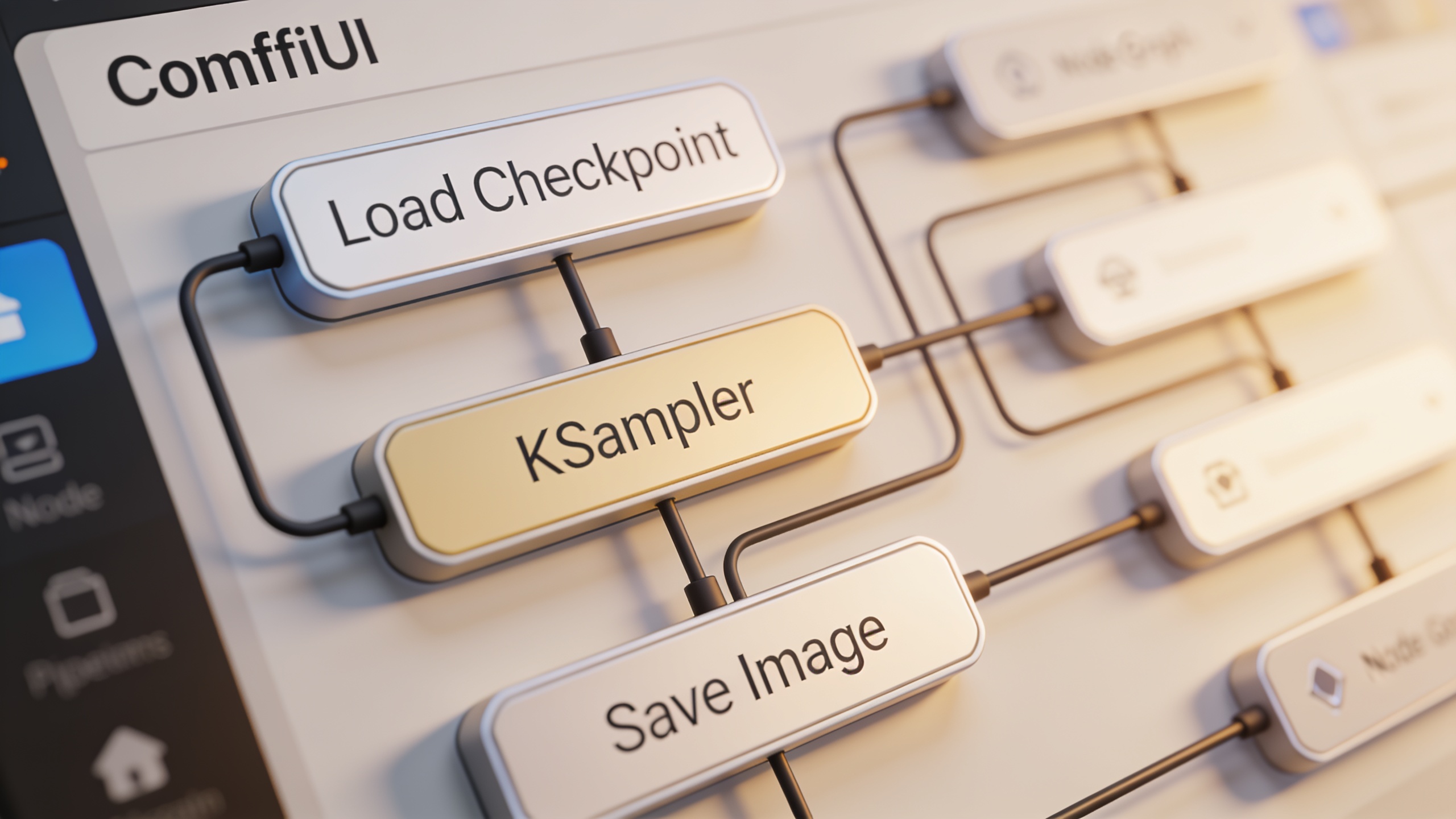
The node graph shows every stage, from loading your checkpoint to the sampling steps to whatever post-processing you tack on. A node is just a self-contained function block, "Load Checkpoint," "KSampler," that kind of thing, connected by visual links.
Here's what's funny. People who've only ever used the simplified stuff often describe opening a full ComfyUI graph for the first time as the moment they finally got it. Like, oh, THAT'S what my tool was doing this whole time. And once you can see the pipeline, debugging weird outputs stops being a guessing game. Something's off in your image? You can usually trace it to a specific node instead of retyping your prompt forty different ways.
2. Every Knob Is Right There
Most mainstream tools bury sampling settings, noise schedules, and CFG scale behind one dumbed-down slider. Or they hide them completely. ComfyUI puts every parameter right on its node where you can grab it.
This is huge for anyone doing frame-consistent animation, where you might want to fine-tune denoise strength frame by frame instead of accepting whatever default the tool picked. And it really matters for client work. Skin tone drifting between frames, lighting that won't stay consistent, color banding, that stuff can tank an entire project. When you've got direct access to the settings that cause those problems, you can actually fix them.
3. Stacking Models, LoRAs, and ControlNets in One Pass
You can chain multiple checkpoints, LoRAs, and ControlNet conditioning models together in a single workflow. Quick sidebar: a LoRA (Low-Rank Adaptation) is a small add-on model that nudges a base model toward a particular style or subject without you having to retrain the whole thing. Cheap, efficient, very handy.
So say you're a designer. You want a photorealistic base model, but with a hand-drawn-style LoRA layered on, plus a pose-control ControlNet to lock the composition. In ComfyUI that's one run. In most closed platforms you'd be bouncing between three separate apps to fake the same result.
Reasons 4–6: The Money Thing
This is where it gets hard to argue against, especially if you're a freelancer or a small studio without an enterprise budget to burn.
4. It's Free. Genuinely Free.
ComfyUI has no license fee, no subscription tier, no generation credit system. That's a real contrast with commercial tools that charge you per image, per second of video, or per seat per month. You do need a decent GPU to run it (an Nvidia card with at least 8GB of VRAM is the usual recommendation for a smooth experience), but once you've cleared that hardware bar, the software itself never sends you a bill.
If you're pumping out content every single day, that's a line item that just... disappears. Which is not nothing.
5. Templates Kill the Worst Part of the Learning Curve
Now for the honest bit. The most common complaint about ComfyUI is real: it's powerful, but building a workflow node by node from a blank canvas can eat hours if you're new. It's intimidating. I won't pretend otherwise.
This is exactly what ready-made JSON templates are for. Sites like ComfyUI Templates offer over 30 free, pre-built workflows covering image generation, inpainting, upscaling, style transfer, and video editing. You import a working pipeline, it runs in minutes, and you start tweaking instead of starting from nothing. Honestly, this is the single best on-ramp for anyone who wants the power without giving up two weeks of their life to learn it.
6. No Credit Meter Watching You Iterate
Subscription platforms love metering usage. Credits get burned per image or per second of rendered video, and it makes experimenting feel expensive in a way that quietly kills creativity. You start second-guessing whether that fiftieth variation is "worth it."
Because ComfyUI runs locally or on compute you control, you can regenerate a shot fifty times testing composition and never watch a balance tick down. For concept artists who explore dozens of variations before landing on the final look, this one thing alone can justify the whole switch.
Reasons 7–10: Speed, Community, and Not Losing Your Mind
Flexibility and cost get you in the door. What keeps ComfyUI running as your daily driver is the efficiency and the ecosystem around it.
7. Batch Processing Buys Back Your Evenings
ComfyUI does batch generation and can be automated through its API, which means you can queue up dozens of variations, let them run overnight, and wake up to a folder of finished assets. Video editors working with long footage get the most out of this, since frame-by-frame processing (style transfer, upscaling, that stuff) can be scripted instead of triggered by hand on every clip.
This is really part of a bigger shift, honestly. Structured workflow tools are eating manual, repetitive work everywhere, not just in creative fields. Even something as far removed as disability support services runs on the same logic now, with platforms like Medinex using dashboard-driven automation to handle compliance and scheduling that used to swallow entire chunks of staff time.
8. Reusable Workflows Keep Everything Consistent
A ComfyUI workflow saves as a portable JSON file, so you can reuse the exact same pipeline across different client projects and just swap the inputs or prompts. Compare that to prompt-based tools, where consistency depends on you remembering (or re-typing) the exact right phrasing every time. Which, let's be real, you won't.
Studios doing ongoing series, like a weekly animated explainer channel, lean on this hard. It's how they keep the visual style locked in from episode one to episode fifty.
9. A Community That Ships Faster Than the Big Guys
The ComfyUI ecosystem has pulled in a huge crowd of independent developers building custom nodes for everything. Advanced upscalers, specialized video interpolation, you name it. The practical upshot is that new capabilities, better face restoration, improved motion consistency for AI video, often land in ComfyUI weeks or months before they show up in closed commercial platforms.
And this community-and-coaching dynamic isn't unique to creative work. Other fields are seeing the same thing emerge around AI. State6, for example, uses AI-driven coaching to help UK police officers prep for promotion assessments, which is a pretty good sign that peer-supported AI guidance is spreading way beyond the art world.
10. Your Files Never Leave Your Machine
Run ComfyUI locally, or on private cloud compute you control, and your source images, client assets, and outputs never touch a third party's servers. For anyone working under a strict NDA or handling unreleased brand material, this isn't a "nice bonus." It's a hard requirement, full stop.
It also neatly sidesteps all the murky questions around how some commercial platforms' terms of service treat ownership and training rights on whatever you upload. And those terms change. Often.
How It Stacks Up Against the Subscription Tools
ComfyUI gives you more control and lower long-term cost than the mainstream AI tools, but you're trading away the beginner-friendliness and the polish. Which one wins for you comes down to a single question: do you care more about getting a result in ten seconds, or about long-term flexibility and cost?
| Feature | ComfyUI | Typical Subscription AI Tools |
|---|---|---|
| Base cost | Free (open-source) | Monthly subscription, often $10–$50+ |
| Learning curve | Steep without templates | Low, prompt-based |
| Parameter control | Full node-level access | Limited or hidden settings |
| Custom workflows | Yes, via reusable JSON files | Rarely, mostly fixed pipelines |
| Batch/API automation | Native support | Often restricted to higher tiers |
| Data/IP handling | Local or self-hosted | Processed on vendor servers |
| Community extensions | Large open-source ecosystem | Limited to vendor roadmap |
| Hardware requirement | Requires capable local/cloud GPU | None (cloud-hosted) |
The trade-off is right there in the table. Subscription tools are built to be easy the second you open them. ComfyUI is built for control, repeatability, and saving money over the long haul. Which is exactly why the heavier, more frequent users keep drifting toward it.
What It Actually Costs to Start
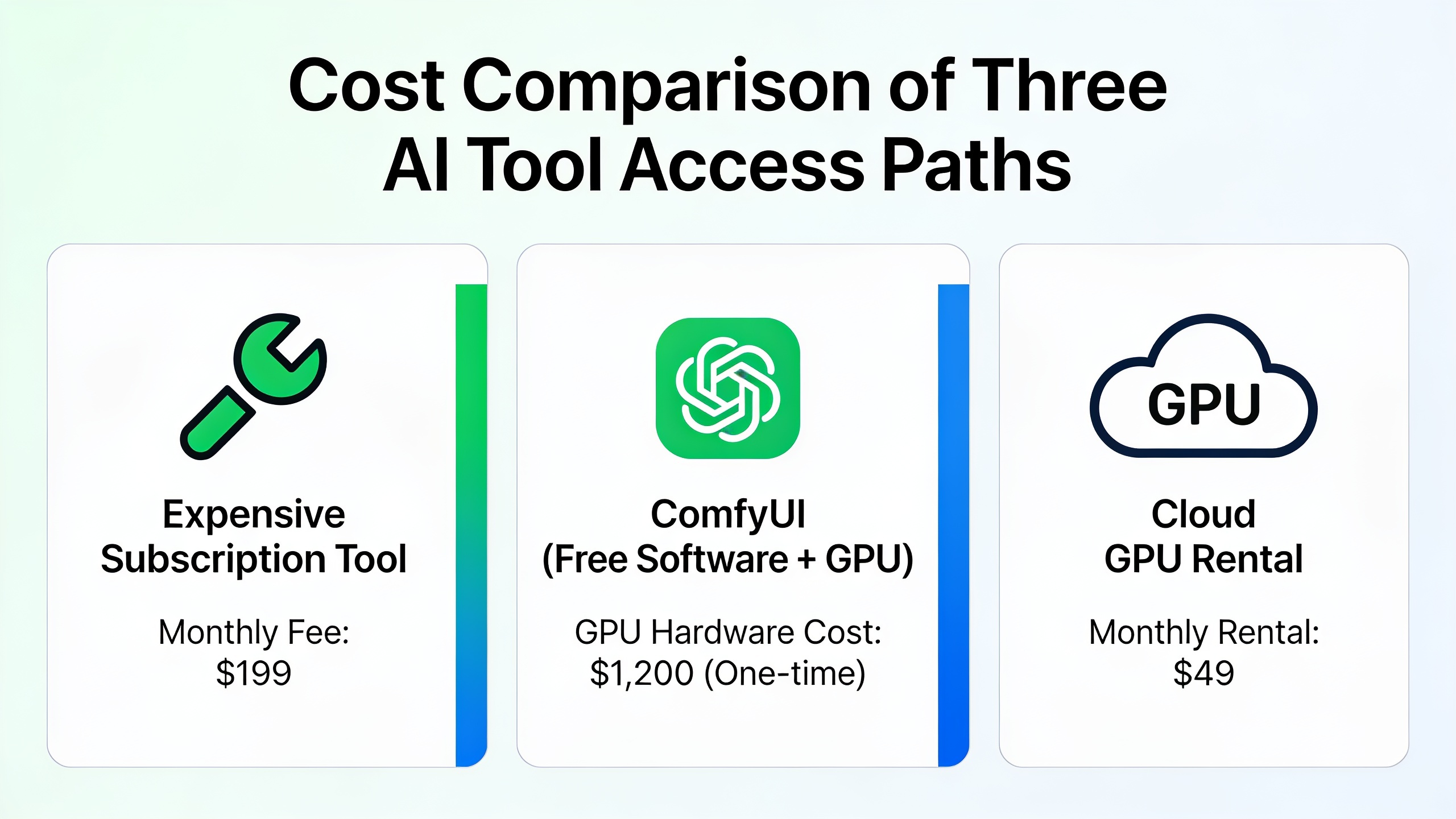
The software costs you nothing, but you'll need either a GPU-equipped computer or a rented cloud GPU to run it properly. A modern Nvidia GPU with 8–12GB of VRAM handles most image workflows without complaint. Push into demanding video or high-res stuff and you'll want 16GB or more.
No suitable machine? Cloud GPU rental services charge by the hour, anywhere from a few cents up to a dollar or so an hour depending on the GPU tier, which is still often cheaper than a full month of a premium AI subscription if you're only using it moderately. Pair that with free templates (again, the 30-plus JSON files at ComfyUI Templates for inpainting, upscaling, style transfer, and so on) and the real barrier to entry is basically "own or rent a decent GPU." Not a licensing fee. Not a subscription. Just the hardware.
Getting Going Without Losing a Weekend
The fastest path to being productive in ComfyUI is dead simple: don't start from a blank canvas. Grab a proven template instead, run it once with default settings to make sure it works on your machine, and only then start swapping in your own models, prompts, and control images. Modify one piece at a time as you figure out what each node actually does.
Oh, and organize your stuff. Treat your workflow library the way a good editor treats project presets. Save variations under names that actually mean something ("portrait-upscale-v2," "product-shot-inpaint") so you can find and reuse the right pipeline for a new job instead of rebuilding logic you already cracked last month. This sounds boring and it matters way more than you'd think. The same instinct, don't rebuild what you've already solved, is basically what productivity systems like Xenith are built around, pushing you toward focused, intentional work instead of scattered repeated effort all day.
One last thing people forget. Making the content is only half the job. Once your AI stuff is finished, it still has to get found. A lot of creators who pair ComfyUI's visual output with written content, blog posts, video descriptions, tutorial breakdowns, use SEO-focused platforms like RobinRank to handle the writing, publishing, and backlink grind, so the thing they made actually reaches the people who'd want it.
FAQ
Is ComfyUI actually better than Automatic1111? Depends what you're doing. ComfyUI is more flexible for complex, multi-step pipelines because of the node structure, while Automatic1111 (another popular Stable Diffusion interface) is generally simpler for quick, single-image generation. If you're building repeatable, automated production pipelines, ComfyUI. If you just want the occasional one-off image, Automatic1111 is faster to pick up.
Do I need to know how to code? Nope. Workflows are built by connecting visual nodes, not writing scripts, so no coding experience is strictly required. That said, having a basic feel for how AI models, samplers, and file formats work makes it a lot easier to understand what each node's doing and to fix things when they break. And starting from pre-built templates cuts down the technical knowledge you need upfront by a lot.
Can it do video, or just still images? Yes, ComfyUI handles video-focused workflows, frame-by-frame style transfer, AI upscaling, interpolation, usually through community-built custom nodes made specifically for it. Plenty of editors use it for consistent stylization across a clip or for cleaning up low-res footage. Just know that video workflows chew through more GPU memory and time than still-image ones, so plan accordingly.
What hardware do I actually need? A dedicated Nvidia GPU with at least 8GB of VRAM is the common recommendation for basic image generation. For the heavy stuff, high-res upscaling or video processing, you'll want 16GB or more. And if you don't have the hardware, renting a cloud GPU by the hour is the low-commitment way to test the waters.
Where do I find free workflows to start with? They're all over the place, community repositories and dedicated template sites. ComfyUI Templates, for one, has more than 30 free JSON workflows covering image generation, inpainting, upscaling, and style transfer, all of which you can import straight into ComfyUI without building anything from scratch.
Look, ComfyUI isn't for everyone. If you just need a quick image now and then and have zero interest in managing a GPU or learning a node graph, honestly, stick with a subscription tool. That's fine. No shame in it.
But if you're making AI-assisted content on the regular, an editor stylizing footage every week, a designer spinning up dozens of concepts per client, the combo of full parameter control, zero licensing cost, and a growing pile of free templates pretty much explains the whole thing. It went from power-user curiosity to genuine industry standard in a shockingly short window. And once you've felt what it's like to actually control your pipeline, going back to a black box feels a little bit like giving up.