Image to Image

Modify existing visuals using text guidance. Replace latent noise with VAE encoding for targeted transformations.

Screenshot of the free ComfyUI workflow for cinematic text-to-video. It uses the WAN 2.2 model with an intelligent prompt extension and enhanced color grading for high-quality AI video generation.

FLUX & ByteDance-USO: Single Img2Img

ComfyUI Workflow: FLUX & ByteDance-USO: Single Img2Img This ComfyUI workflow integrates the USO (Unified Style-Subject Optimized) model, developed by Bytedance. Built on the FLUX.1-dev architecture, USO unifies style-driven and subject-driven image generation tasks within a single framework. It is designed to achieve both high style similarity and consistent subject identity in generated images. **Key Capabilities** - **Subject-driven generation**: Places subjects into new scenes while consistently maintaining their identity. - **Style-driven generation**: Applies artistic styles from reference images to new content. - **Combined mode**: Utilizes both subject and style references for integrated image transformations. **How it Works** USO addresses the challenge of unifying style and subject generation by focusing on the disentanglement and re-composition of "content" and "style". - **Decoupled learning**: The model employs a learning strategy that separates the understanding of style and subject characteristics. - **Style Reward Learning (SRL)**: A specialized learning paradigm further refines the model's performance in style application. - **Disentangled learning scheme**: This involves two objectives to achieve content-style separation: - **Style-alignment training**: Aligns and learns style features effectively. - **Content-style disentanglement training**: Separates content information from stylistic elements for flexible re-composition. - **Large-scale triplet dataset**: The model is trained on a comprehensive dataset consisting of content images, style images, and their stylized counterparts. **Why use this workflow** - **Unified solution**: Provides a single framework for tasks traditionally treated as separate, bridging the gap between style and subject generation. - **Consistent results**: Ensures both stylistic resemblance and subject fidelity in generated outputs. - **Broad application**: Suitable for diverse creative image generation needs, from character placement to artistic stylization. **Further Information** - [USO Project Page](https://bytedance.github.io/USO/) - [USO GitHub Repository](https://github.com/bytedance/USO)

Image to Image
Screenshot of the free ComfyUI workflow for creating AI talking head videos. It uses the Infinite Talking model to animate a static image with an audio file, producing realistic, unlimited-length lip-sync videos.

Consistent Character Generator for AI Influencer Creation

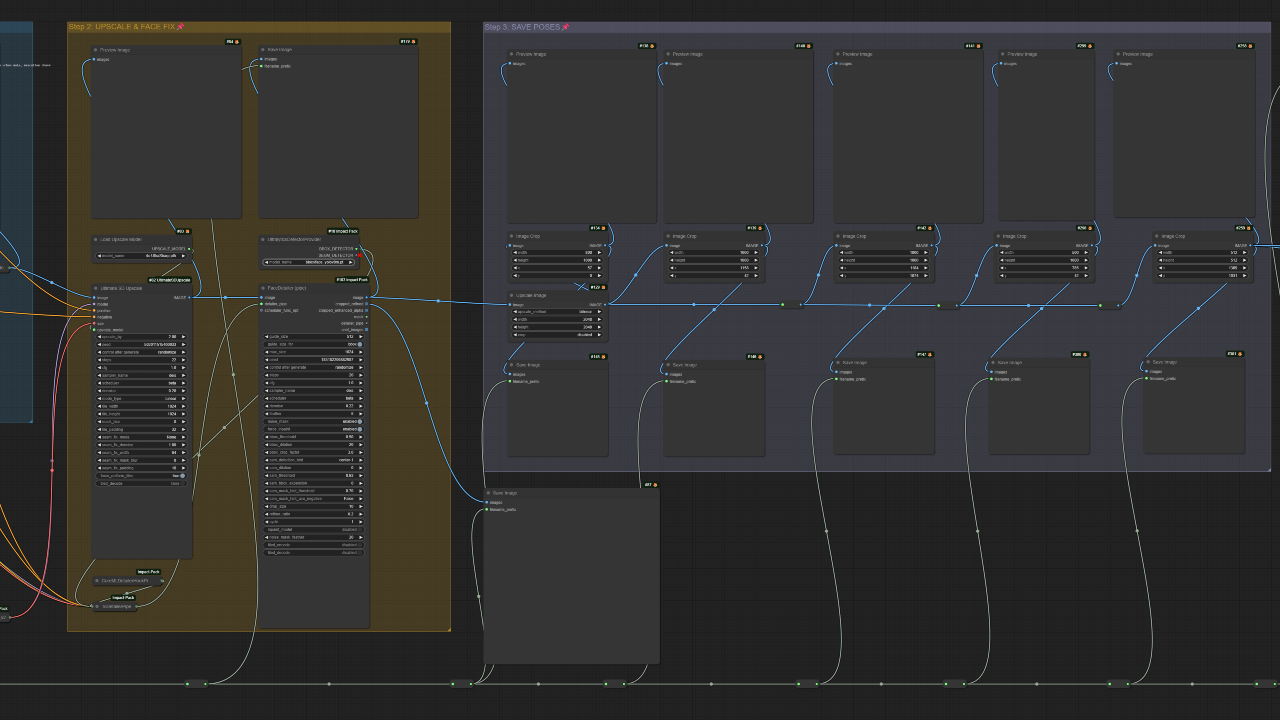
ComfyUI Workflow: Consistent Character Generator for AI Influencer Creation This ComfyUI workflow creates consistent realistic characters from multiple angles. It integrates DeepSeek-JanusPro for accurate prompt generation through image inversion, utilizes the PuLID-Flux model to restore over 90% of facial features, employs OpenPose for precise skeleton and posture control, and leverages the Flux model's semantic understanding to optimize detail consistency. This advanced setup is well-suited for developing consistent character representations, including applications for AI influencers and AI models, ensuring precise and realistic outcomes. What makes this workflow special - **Consistent realistic characters**: Generates characters that maintain appearance and details across various angles and poses. - **Accurate prompt generation**: DeepSeek-JanusPro performs image inversion to produce precise and contextually relevant prompt words. - **High-fidelity facial restoration**: The PuLID-Flux model restores over 90% of facial features, ensuring high-quality and consistent facial details. - **Precise posture control**: OpenPose provides skeleton control to fix and align character poses for natural movement. - **Optimized detail consistency**: The Flux model enhances semantic understanding to ensure fine details like facial features, clothing, and posture remain consistent across outputs. - **Ideal for AI influencers and models**: Specifically designed to meet the demands of creating professional-grade virtual personas. How it works - **DeepSeek-JanusPro**: Processes input images to generate detailed and accurate text prompts that guide the character generation process. - **PuLID-Flux Model**: Focuses on the face, restoring and maintaining facial feature consistency and detail, crucial for identity preservation. - **OpenPose Skeleton Control**: Interprets and applies desired body poses, ensuring the character's posture and movement are natural and consistent. - **Flux Model**: Works at a holistic level, improving the overall semantic understanding and consistency of details across the entire character and scene. How to use this workflow - **Workflow Master Switch**: Easily enable or disable features like the upscaler or DeepSeek integration to customize processing based on your needs. - **Step 1: Upload Pictures**: - **AI Influencer Image**: Upload a desired character image in the "deepseek" group or disable "Enable deepseek" and provide a prompt. - **Portrait Image**: Upload a portrait image in the "pulid" group for facial detail extraction. - **Pose Image**: Provide an image to define the character's posture and movement. - **Step 2: FaceDetailer and Expression Editor**: - **Facial Refinement**: Use FaceDetailer to enhance and polish facial details. - **Expression Adjustment**: Modify facial expressions using the Expression Editor for desired moods or actions, such as eye and mouth movements or head turns. - **Step 3: SUPIR Upscale**: Optionally upload the image to the SUPIR Upscaler for enhanced resolution and detail, producing higher-quality final outputs. - **Consistent Character Generation Tips**: Plan character style, movements, and key details in advance to streamline the workflow and reduce adjustments, ensuring efficient and high-quality results. Use cases - **AI Influencers**: Create consistent and realistic virtual influencers for social media, maintaining cohesive personalities across content. - **AI Models for Marketing and Branding**: Develop virtual models for advertising, ensuring consistent appearance and posture for branding campaigns. - **Game Character Design**: Design and refine high-quality, consistent characters for video games and animation projects, including faces, expressions, and movements. - **Film and Animation Pre-Production**: Generate character concepts with detailed facial features and consistent expressions across multiple scenes for film or animation. - **AI-Powered Virtual Assistants**: Develop consistent character identities for virtual assistants or chatbots, aligning appearance and expressions with their purpose.

Image to Image
Screenshot of the free ComfyUI workflow for replacing a character in a video. It uses Wan 2.2 Animate and the Reactor node for a high-quality faceswap, all done with a simple point-and-click selection.

Batch Watermark Removal and Addition in One Click

ComfyUI Workflow: Batch Watermark Removal and Addition This ComfyUI workflow automates the process of removing or adding watermarks to multiple images simultaneously. It integrates advanced AI models like SAM (Segment Anything Model), GroundingDINO, and Differential Diffusion to achieve precise and professional results at scale. What makes this workflow special * **Dual Functionality**: Perform both watermark removal and addition within a single workflow. * **Batch Processing**: Efficiently handle multiple images for consistent results across a dataset. * **AI-Powered Segmentation**: Utilizes SAM and GroundingDINO to accurately identify and mask watermarks or target regions without affecting other image areas. * **Intelligent Inpainting**: Employs inpainting techniques for seamless watermark removal, guided by text prompts for logical composition. * **Custom Watermark Addition**: Supports the addition of custom watermarks, enabling high-quality branding tailored to each image. * **Professional Output**: Produces clean images after removal and integrates new watermarks effectively. How it works **Watermark Removal** 1. **Load Image**: Upload the image containing the watermark. 2. **Input Text Prompt**: Provide a text prompt, such as "Remove watermark," to guide the process. 3. **Inpainting and Refinement**: CLIP Text Encode nodes provide additional guidance for logical composition during inpainting. 4. **Watermark Segmentation**: SAM and GroundingDINO generate a precise mask for the watermark. 5. **Export Clean Image**: Save the final image, free of the watermark, with adjustable resolution and format. **Watermark Addition** 1. **Load Image(s)**: Upload one or more images intended for watermarking. 2. **Upload Watermark Image**: Input the pre-designed watermark image. 3. **Export Watermarked Image**: Save the final image with the integrated watermark, configuring the file name and format. Why use this workflow * **Efficiency**: Automate tedious tasks of watermark handling across many images. * **Accuracy**: Leverage cutting-edge AI for precise segmentation and inpainting. * **Flexibility**: Adapt to both removing unwanted watermarks and applying custom branding. * **Scalability**: Process single images or entire directories with ease.

Image to Image
A ComfyUI workflow for generating consistent AI character sheets, featuring an input prompt field, a module for loading a skeleton diagram, and controls to queue the generation process.

AI Character Sheet Generation

ComfyUI Workflow: AI Character Sheet Generation This ComfyUI workflow offers a versatile solution for generating consistent AI character sheets suitable for various creative and professional applications. It helps users maintain a unified character identity across different poses, expressions, and scenarios. **What this workflow provides** - **Consistent Character Identity**: Ensures characters retain their appearance and style across multiple generations and outputs. - **Versatile Application**: Integrates character generation for AI influencers, marketing models, game design, film pre-production, and virtual assistants. - **Expression and Pose Control**: Facilitates the generation of diverse facial expressions, body poses, and styles while maintaining character consistency. **Use cases** - **AI Influencers**: Create consistent and realistic virtual influencer characters for social media content and campaigns. - **Marketing and Branding**: Develop virtual models for fashion, product advertising, or promotional materials, ensuring character appearance and posture consistency. - **Game Character Design**: Generate high-quality, consistent character faces, expressions, and movements for video games or animation projects. - **Film and Animation Pre-Production**: Design character concepts for films or animations with detailed facial features and consistent expressions across multiple scenes. - **AI-Powered Virtual Assistants**: Establish consistent character identities for virtual assistants or chatbots, aligning their appearance with their intended personality and purpose. **How to use it** 1. **Input Prompt**: Enter a textual description for your desired character, such as "A cute anime girl in a blue shirt and white skirt." 2. **Upload Skeleton Diagram**: Obtain a skeleton diagram image and upload it to the "Load Image" module within the ComfyUI workflow. This diagram helps guide the character's pose. 3. **Generate**: Click the "Queue" button to initiate the character sheet generation process. 4. **Output**: The workflow will produce the consistent character sheet based on your provided inputs. **Inputs required** - A text prompt detailing the character description. - A skeleton diagram image to define the character's pose.

Image to Image

Filters